Many patients are looking towards Cannabis for medicinal use, increasing the number of registered Medical Marijuana patients. If you are looking to apply for a Medical Marijuana Card, you should speak with a licensed physician. If you have already seen one and have received the doctor’s recommendation, you must be wondering about the next steps. To complete your certification, you must access your Florida Medical Marijuana Use Registry profile and update your information.
In Florida, every approved medical marijuana patient has a profile in the Medical Marijuana Use Registry (MMUR). And the Office of Medical Marijuana Use (OMMU) manages it. The MMUR is a secure online database that maintains a record of all certified patients and qualified physicians. For new patients, the Registry may be confusing at first. But once you understand how it works, it’s not that hard.
The MMUR and your card are directly linked, and information in one affects the other. So, it is necessary to keep your information complete, accurate, and up-to-date. Wrong information can lead to delays or the denial of a medical marijuana card.
In this article, we will uncover the details you need to know about your Florida Medical Marijuana Use Registry profile, “How can you access it?”, “How to update your details?”, and “How to troubleshoot common issues?”.
Schedule your appointment today for Medical Marijuana Card in Florida with My Florida Green’s certified doctors.
What is the Florida Medical Marijuana Registry?
The OMMU is part of the Florida Department of Health. It oversees the entire medical marijuana program in Florida, creating rules and making sure everything operates within Florida law.
The OMMU also manages the Medical Marijuana Use Registry (MMUR). The MMUR is an online, electronic, and secure database that maintains a record of all certified patients, caregivers, and licensed medical marijuana doctors.
In simple terms, when you are approved as a patient or physician, your profile is created in the MMUR. And from there, you can log in to update your information or upload any necessary documentation required to move forward in your process.
Who needs an OMMU Registry Profile?
Only three types of people can have an OMMU Registry Profile.
- Qualified Patients
- Licensed Physicians
- Caregivers
1. Qualified patients
These are individuals who have been diagnosed with one of the qualifying medical conditions by a State-certified physician. They have been approved by the physicians as eligible to use Marijuana safely for their health condition.
2. Licensed Physicians
The Florida Medical Marijuana program focuses on ensuring people use Cannabis safely. The State is training physicians who can assess patients for Marijuana use. Every patient must first be a licensed physician to get a Medical Marijuana Card. Licensed physicians must complete a mandatory state training and exam to become a qualified physician.
3. Caregiver
Qualified patients can choose a caregiver to help them buy or use medical marijuana. Caregivers are mostly the parents or guardians for minors and spouses or another family member for older adults.
How to access the MMJ Registry in Florida?
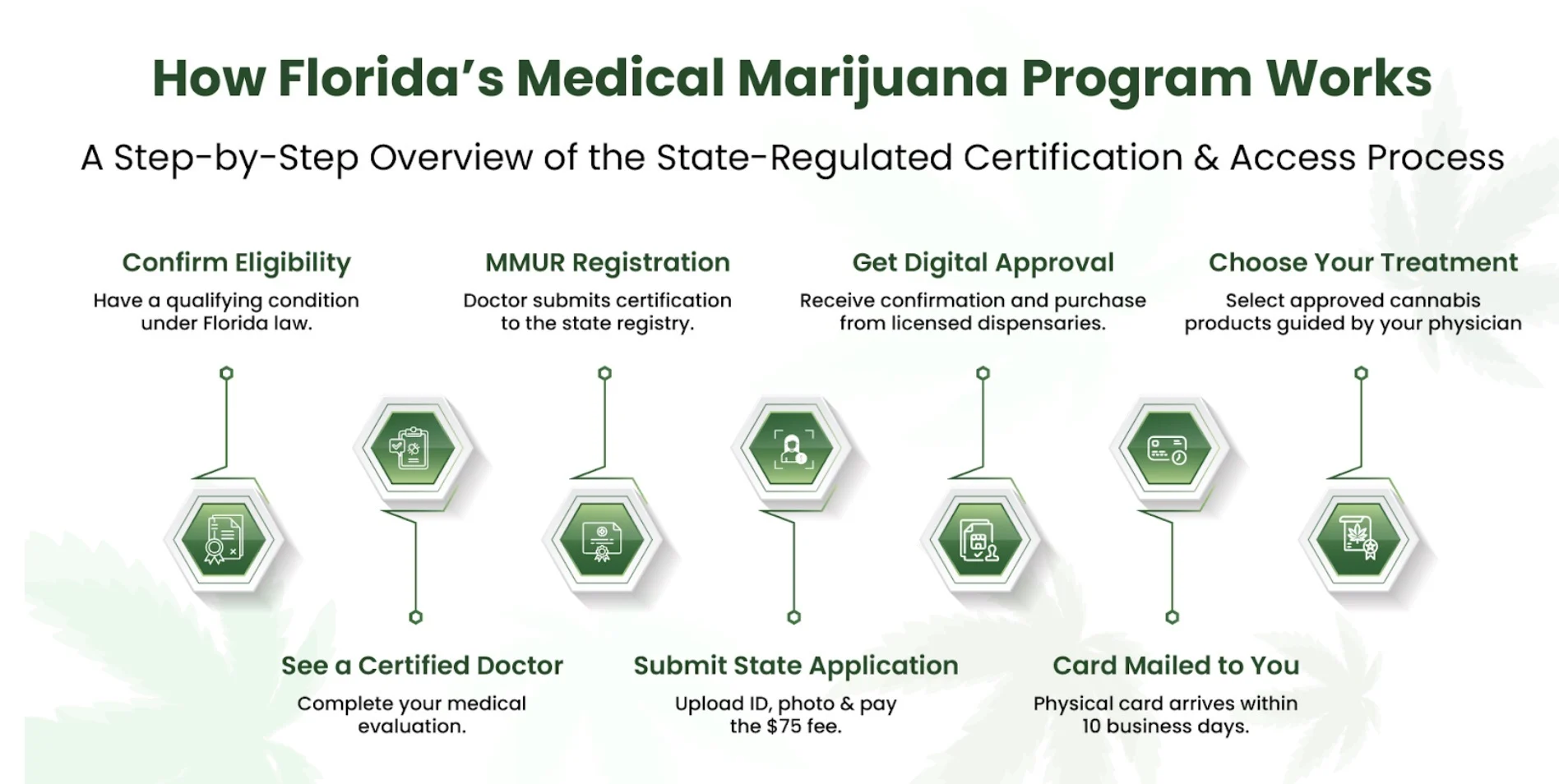
Patients will receive an email after a physician enters their details into the Medical Marijuana Use Registry. The email will contain login details for their patient profile.
- Use the details to log in to your profile and update your password. If you forget your password, click “Forget Password.”
- Once you have logged in to your profile, you can view your details, any documents you or your physician have uploaded, and card applications. You can also view your card renewal status and the expiration date.
- Check your spam folder if you don’t receive the initial login email. Also, double-check that the email you’re using matches the one your physician has on record.
How can you manage your Florida Cannabis patient profile?
The first thing you need to do after logging into your patient profile is to update your information if something is missing or has changed. For example, if you’ve moved, you might need to upload new proof of residency.
Your profile contains your personal information, including your name, address, Florida driver’s license, and more. It is of the utmost importance to have accurate and up-to-date information. Any discrepancies here may result in delays in card issuance.
If you already have a caregiver or would like to assign one, your doctor must add them to the Registry. Non-family caregivers are required to undergo a Level 2 background screening.
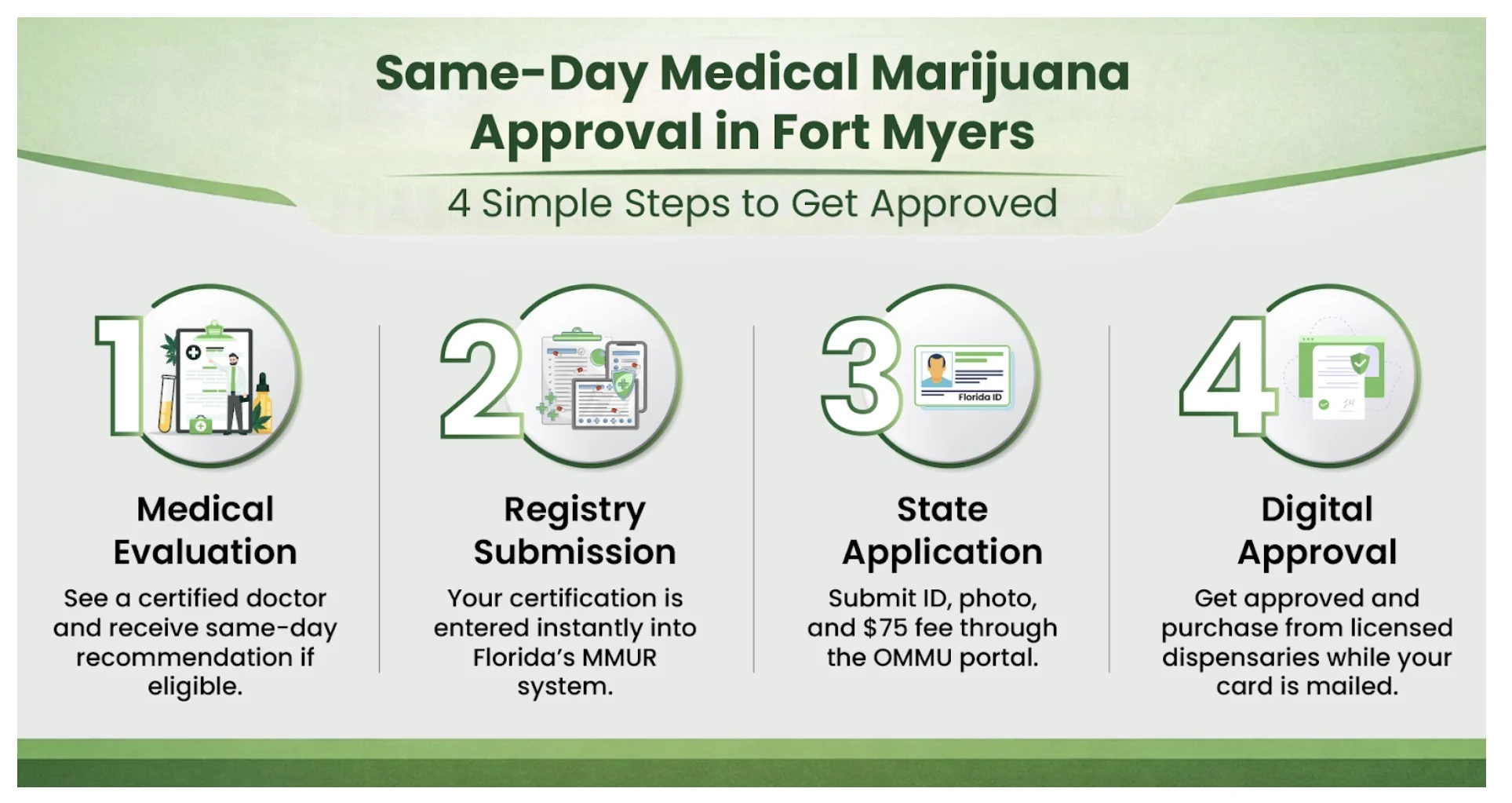
After you have made sure all your information is correct, the next step is to apply for your medical marijuana card. You need this card to legally buy cannabis from licensed medical marijuana dispensaries in Florida.
What are some common registry issues?
Some patients may run into issues when trying to access or update information in the MMUR, which can be frustrating. Most issues are easy to fix. Understanding what might go wrong and how to solve it can help you avoid unnecessary delays.
1. Login issues:
You may not be able to log in to your profile, or you might see a message stating that your profile doesn’t exist. This might happen if you are using the wrong email address or your access has been revoked due to legal issues. If this happens, check that you’re using the same email your doctor used to create your profile. Additionally, you can contact OMMU at 850-245-4657 and request a status check for your profile.
2. Delays in Medical Marijuana Card Approval:
A situation may arise where you have submitted all the necessary information and uploaded the documents, but you are still not receiving your card. You must check the status of your application. Log in to your profile and click “Manage Your Information.” Then, click “Patient Card”. Here you will see different signs indicating reasons why your card may not have been approved.
- A green check mark in every section means that every part of your application is approved. A yellow question mark means missing information, and a red alert sign means that misinformation is provided.
- If all sections display a green check mark, you simply need to wait 10–14 business days for your card to arrive.
3. Order/Dispensation Data Not Showing:
If you don’t see your recent orders, it might just need time to update. Alternatively, there is a chance that your doctor may still need to submit some documents. Check the status of your order or contact your physician to inquire about the submission of a recommendation or an order to the Use Registry.
Understanding the Florida Medical Marijuana Registry and its purpose
All patients wanting to use Cannabis for medicinal purposes must apply for a Medical Marijuana Card. However, setting a Medical Marijuana Use Registry profile and getting a medical marijuana card can be confusing. This article has tried to uncover everything about the Florida Medical Marijuana Registry, including how to access it, who it is for, how you can manage it, and common issues that you may face.
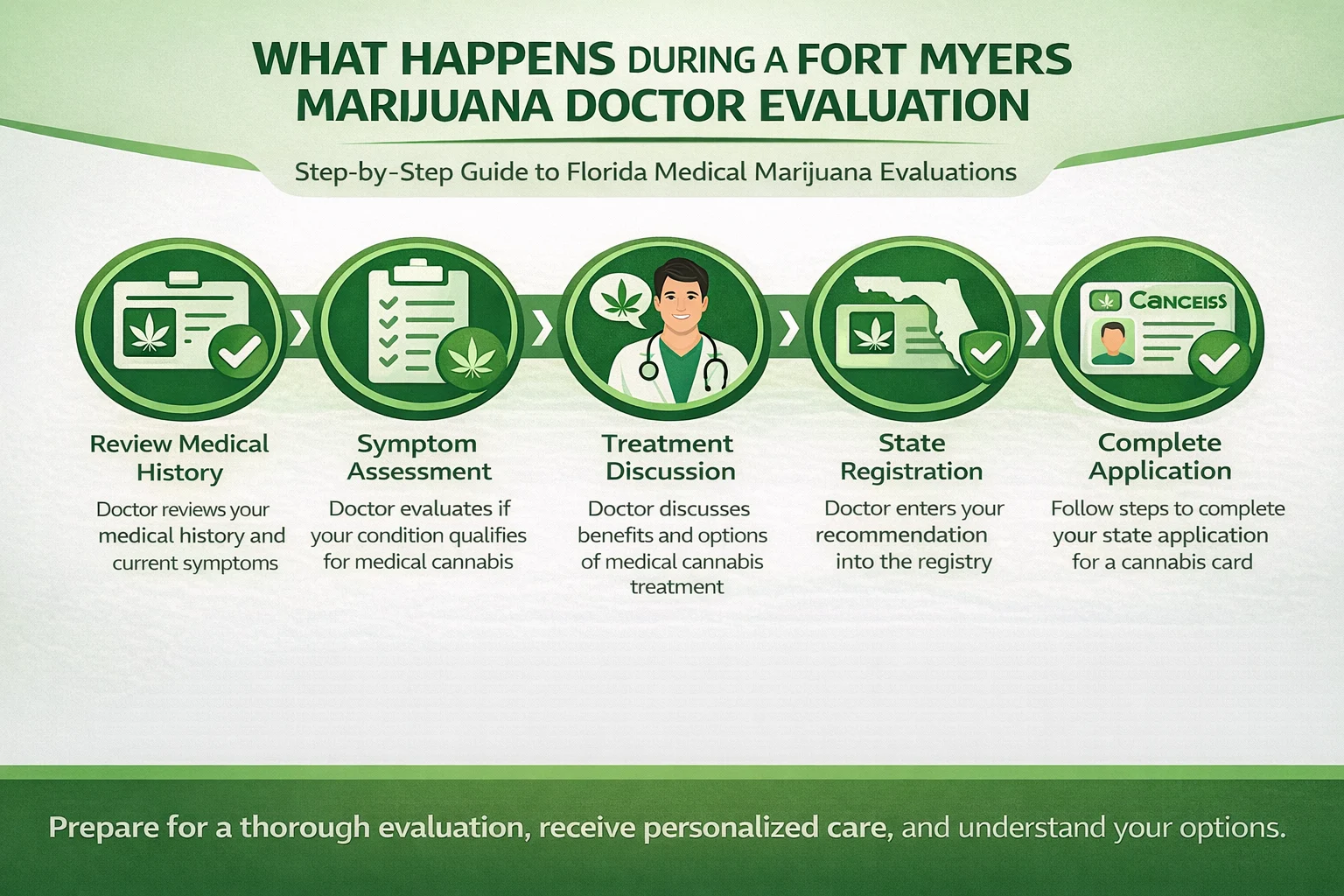
If you are ready to start your medical marijuana journey with licensed doctors? Contact the licensed physicians at My Florida Green. The doctors at My Florida Green will review your condition to see if you qualify for a medical card. If you’re approved, they’ll create your profile in the MMUR with the necessary information for you.
So, why wait? Book your consultation now!